

29.08.24 CScalp v2.0.32 Release: Trailing Stop and Bybit API Update
On August 29, 2024, a CScalp release was launched. The main highlights include the addition of Trailing Stop and the Bybit API update.
\n\n\n\n\n\n\n\n
\n\n\nWe have implemented a Trailing Stop (TS) option for Stop-Loss orders. This option is supported across all connections in CScalp.
\n\n\n\nTrailing Stop can be set manually or automatically, depending on the selected settings. To activate the trailing manually, press the hotkey “N” (default) after setting a Stop-Loss. The trailing will work from the Stop-Loss price level to the best Bid/Ask price.
\n\n\n\n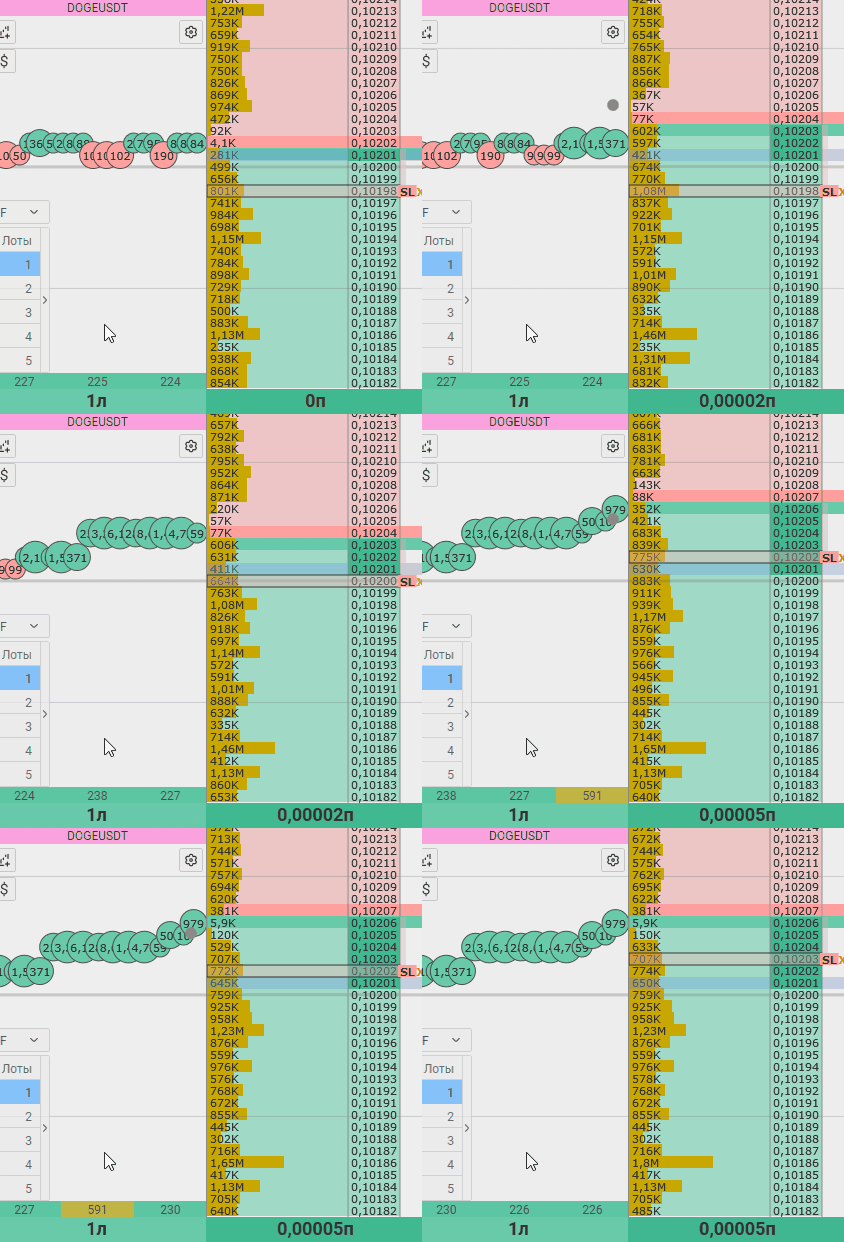
You can enable an automatic Stop-Loss with Trailing Stop in the trading instrument settings under the “Trading” tab. A Trailing Stop will be set when a position is opened. The operation of the automatic trailing depends on the specified number of points in price steps/percentages.
\n\n\n\n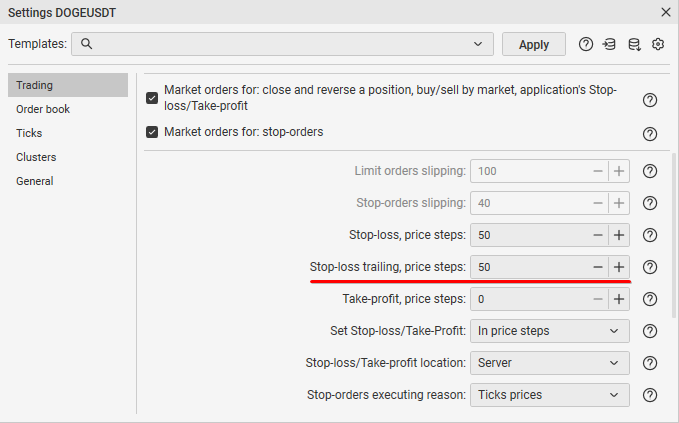
You can disable manual and automatic trailing by pressing the hotkey “N”.
\n\n\n\nTrailing Stop works only when the terminal is running. If you close CScalp, TS will be disabled, and the position will continue to be protected by a fixed Stop-Loss (if the order is placed on the server side).
\n\n\n\nA detailed guide on using Trailing Stop can be found in the article “How Trailing Stop Works in CScalp.“
\n\n\n\n
\n\n\nOn August 31, Bybit will migrate Standard Accounts to API version V5. We have updated the Bybit API so that you can continue trading on the “Bybit: Spot,” “Bybit: USDT Perpetual,” or “Bybit: Inverse Perpetual” connections. The “Bybit: UTA” connection is not affected by the update.
\n\n\n\n\n\n\n\nImportant! Due to the exchange’s API update, starting August 31, the “Bybit: Spot,” “Bybit: USDT Perpetual,” and “Bybit: Inverse Perpetual” connections will not work in previous versions of CScalp. Therefore, we recommend updating to the latest version of the terminal.
\n
\n
\n\n\nWe have added an option to select the ruler color in the order book.
\n\n\n\n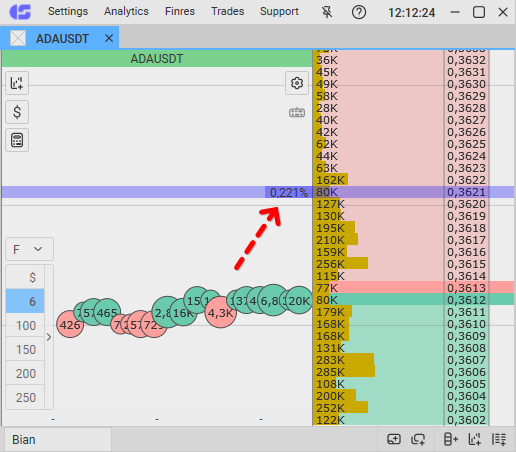
You can set the ruler color in the trading instrument display settings.
\n\n\n\n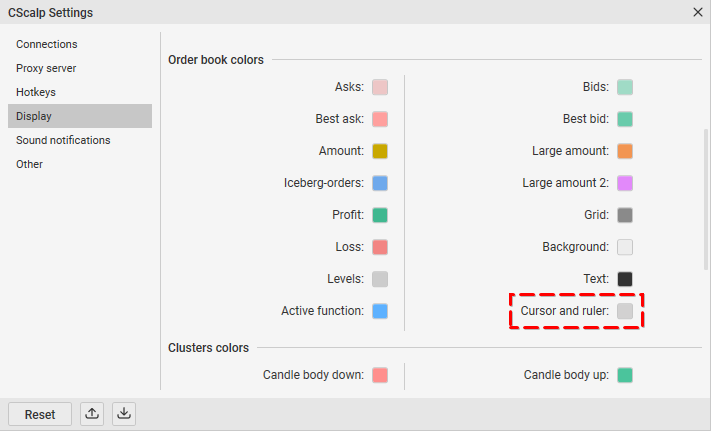
\n
\n\n\nTo update CScalp to the latest version:
\n\n\n\n- \n
- Open the Launcher \n\n\n\n
- Launch CScalp \n\n\n\n
- The application will check for updates and prompt you to install it \n\n\n\n
- Agree, and the terminal will update automatically \n
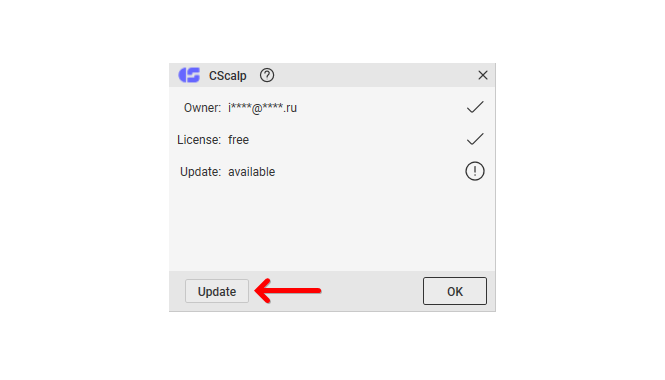
How to Update the Launcher:
\n\n\n\n- \n
- Open the Launcher \n\n\n\n
- Click “Update” in the top menu \n\n\n\n
- The update will install automatically \n