

How to connect CScalp to BingX
Last updated: January 23, 2025
We have prepared an instruction on how to connect the trading terminal CScalp to the cryptocurrency exchange BingX. We show you how to create API keys in your exchange account and set up the connection in the terminal.
The guide has been prepared by the CScalp terminal team. You can get CScalp by leaving your e-mail in the form below.
Types of Connections to BingX in CScalp
In CScalp, there is a connection option available for the market of perpetual USDT futures on BingX – “BingX: USDT Futures”.
How to Open an Account on BingX
To connect CScalp to BingX, first create an account on the exchange. Register using the CScalp referral link to receive a 25% discount on trading commissions.
Note: In the “Referral Code” field, make sure that the code “BCGIEIB8” is entered. If it’s missing, enter it manually to ensure you don’t miss out on the discount.
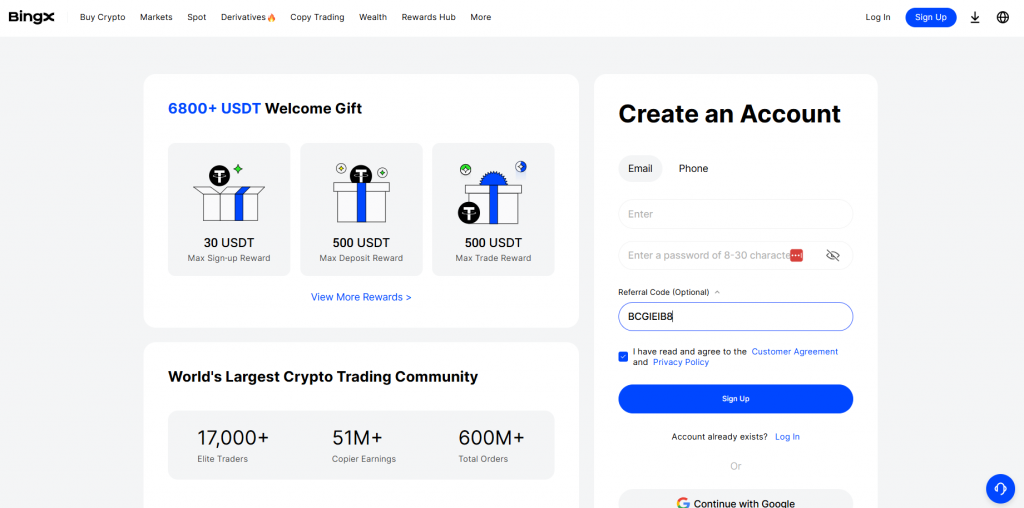
For more information about registration on BingX using a referral link, see our article How to Get a BingX Referral Code.
How to Create BingX API Keys
To generate API keys on the BingX exchange, complete identity verification and set up two-factor authentication through Google Authenticator.
Complete Identity Verification
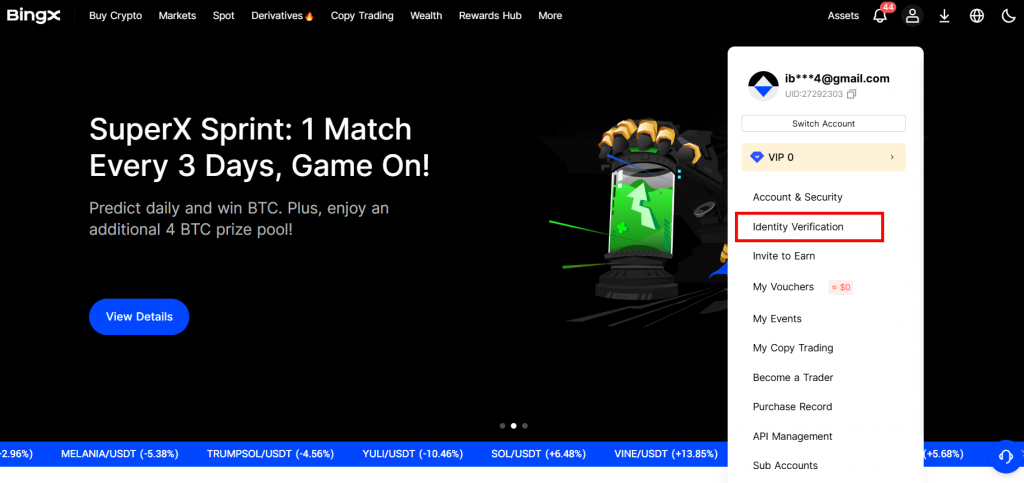
Visit the official BingX website. Hover over the profile icon to open the context menu. Navigate to the “Identity Verification” section.
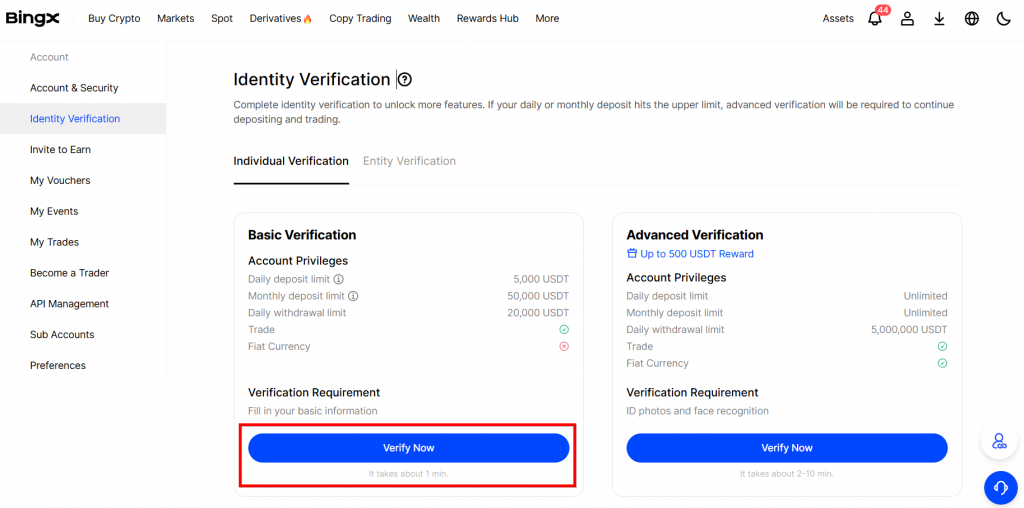
To enable API trading, you need to complete both basic and advanced verifications under the “Individual Verification” tab.
Set Up Two-Factor Authentication
Open the user menu and navigate to the “Account & Security” section. Scroll down to the “Security Center” section and click “Bind” next to “Google Authenticator“.
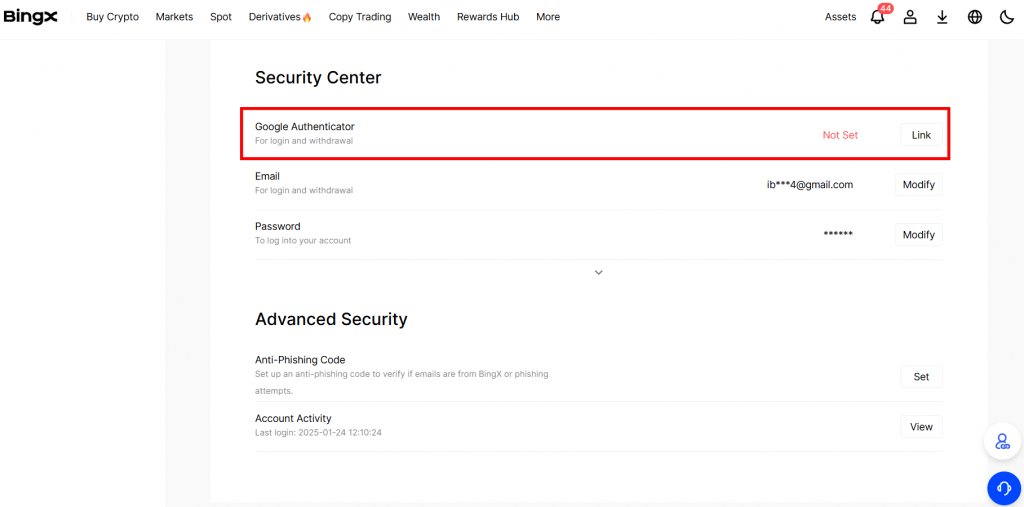
Follow the standard procedure to set up two-factor authentication. If you don’t have the Google Authenticator app, download it onto your phone from the App Store, Google Play, or other official sources.
Create API Keys
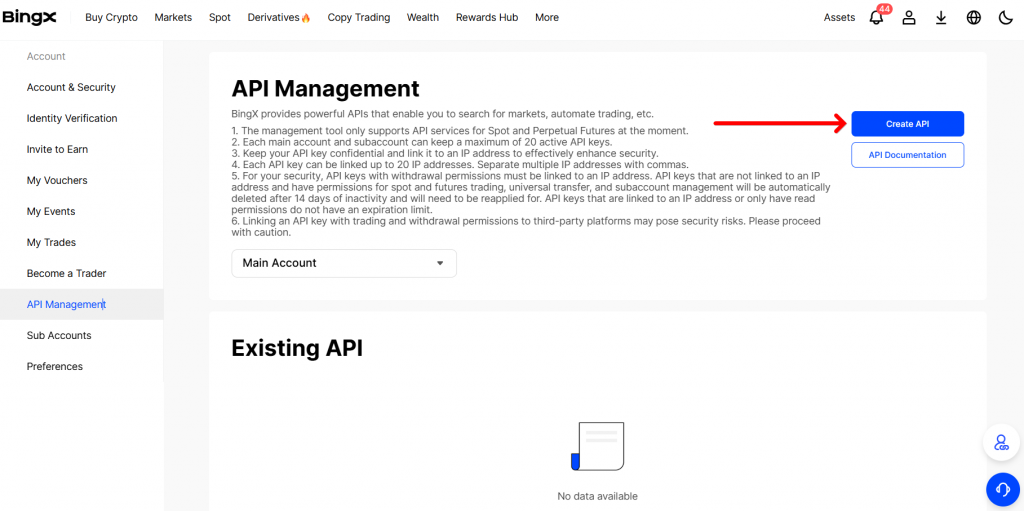
Open the profile menu and go to the “API Management” section. You’ll be taken to the page where you manage API keys. Click “Create API“.
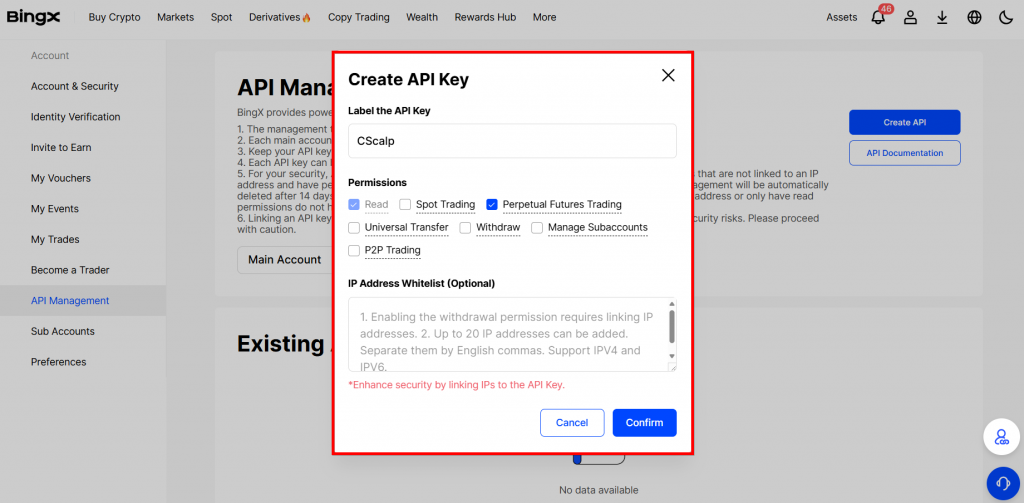
Configure your API key settings as follows:
- Give the key pair a name, such as “CScalp“
- Enable the “Perpetual Futures Trading” option (other options are not required for trading on BingX within CScalp)
- Click “Confirm” and pass the security check
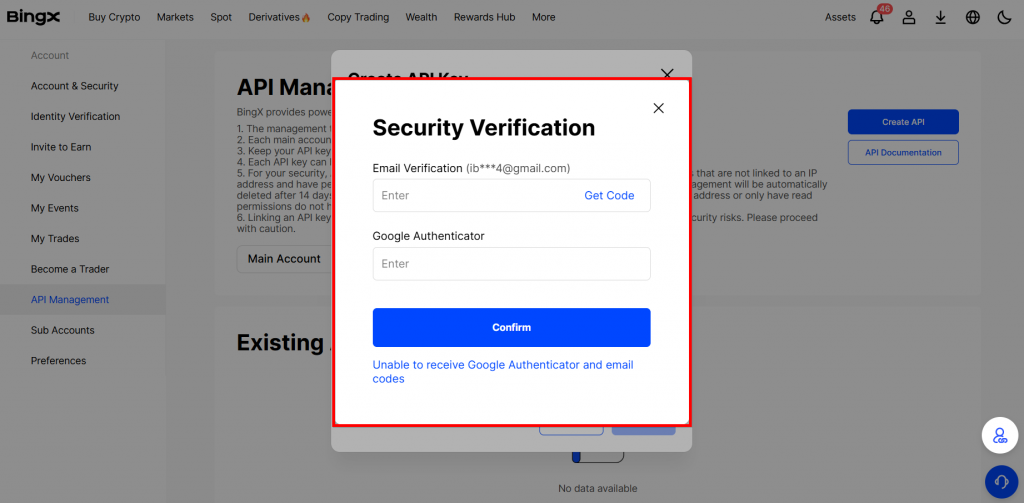
Enter the code sent to your email and the one generated by Google Authenticator. Then, click “Done“.
API keys for BingX have been created – copy the “API Key” and “Secret Key“.
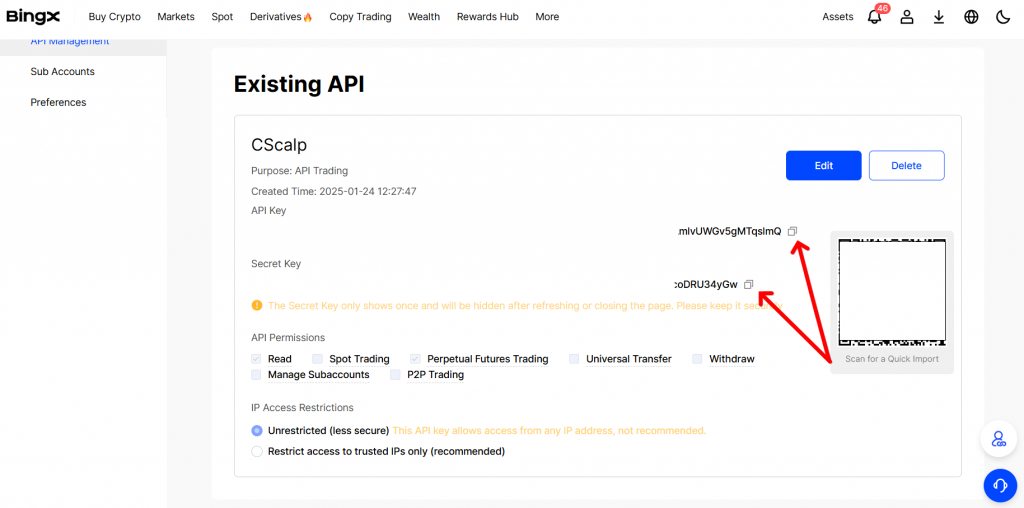
The “Secret Key” is only displayed when it is first created. Therefore, be sure to copy the key immediately in order to connect CScalp to BingX. There is no need to store the key in notes or on paper. If necessary, you can always recreate the key pair in your BingX account.
Important! Never share your API keys with third parties.
How to Connect CScalp to BingX
Launch CScalp. Open “Settings” and go to the “Connections” tab.

Click “Add Connection” and select “BingX: USDT Futures“
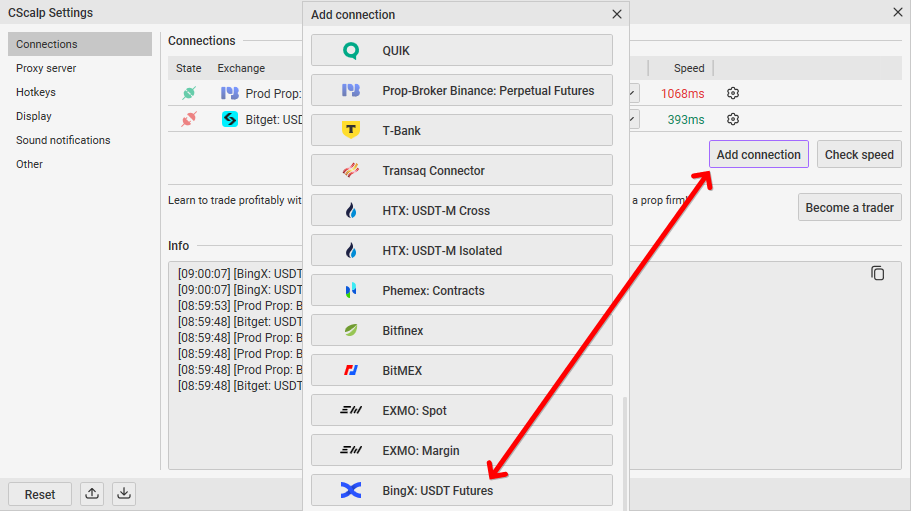
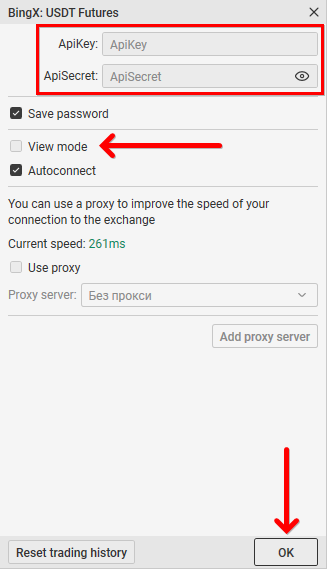
Click on the gear icon in the “BingX: USDT Futures” field – connection settings will open. Enter the “API Key” and “Secret Key” in the “ApiKey” and “ApiSecret” fields respectively. Disable the “Read-only mode“. Click “OK“.
The connector icon in the “BingX: USDT Futures” field will turn green – the CScalp terminal is connected to the exchange. If the connection did not activate automatically, click on the connector icon.

How to Make Your First Trade on BingX in CScalp
To make your first trade on BingX in CScalp, fund your account on the exchange and read the article “How to Make Your First Trade in CScalp.” If you encounter any difficulties, contact support – a live employee will respond and help solve the problem.
CScalp Security
API keys and confidential data are stored in encrypted form only on the user’s personal computer and are not transferred to third parties. The terminal team has no access to the user’s funds. All transactions (deposits and withdrawals) are performed by the user through their own account on the exchange. If third parties have access to your computer, set a PIN code on CScalp. How to do this is explained in the instruction “What is a PIN Code“.
Join the CScalp Trading Community
Join our official trader's chat. Here you can communicate with other scalpers, find trading soulmates and discuss the market. We also have an exclusive chat for crypto traders!
Don't forget to subscribe to our official CScalp news channel, use trading signals and get to know our bot.
If you have any questions, contact our support team: support@in.fsr-develop.com.
You can also subscribe to the CScalp TV YouTube channel.
JOIN OUR CHAT